Crown & Wilds - Real-time Kingdoms
A downloadable game for Windows and macOS
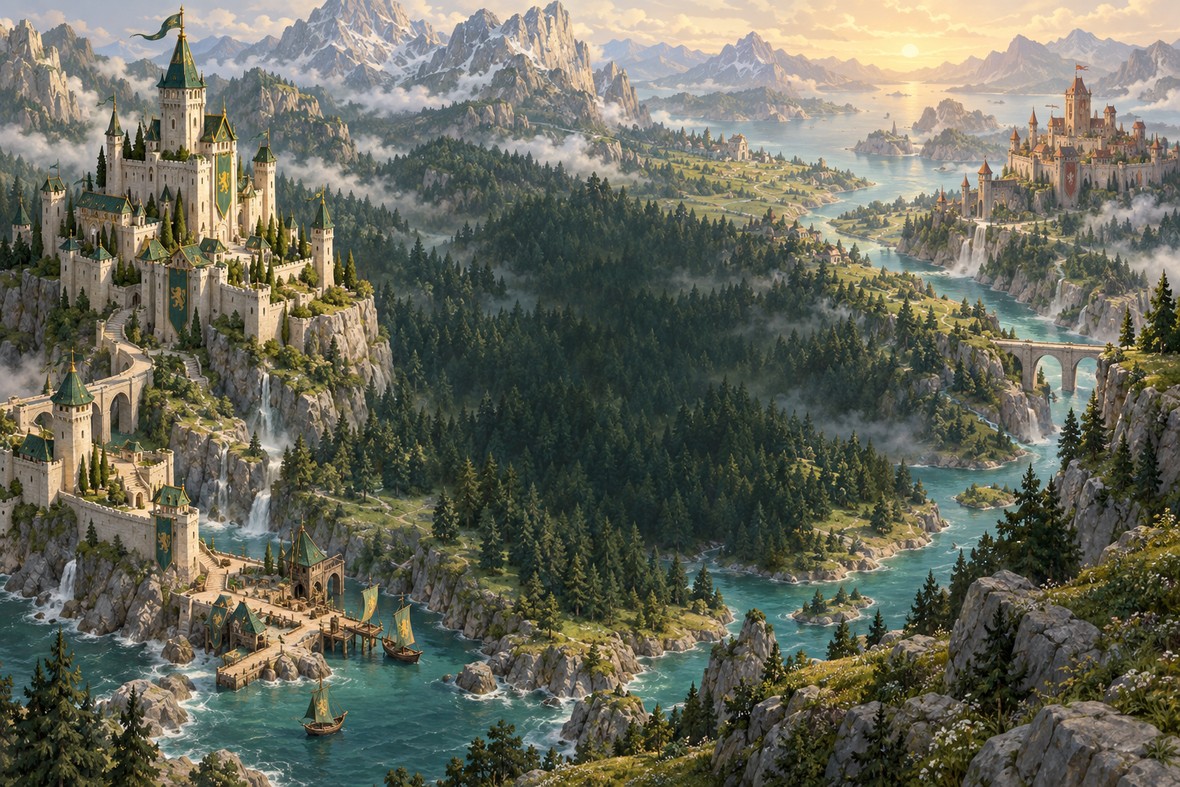
One island. Two crowns.
Lead the Verdant clan into the Emerald Reach in Crown & Wilds, a single-player real-time strategy game. Explore the fog, claim gold camps, strengthen your settlements and march on Emberhold—while keeping your own capital safe.
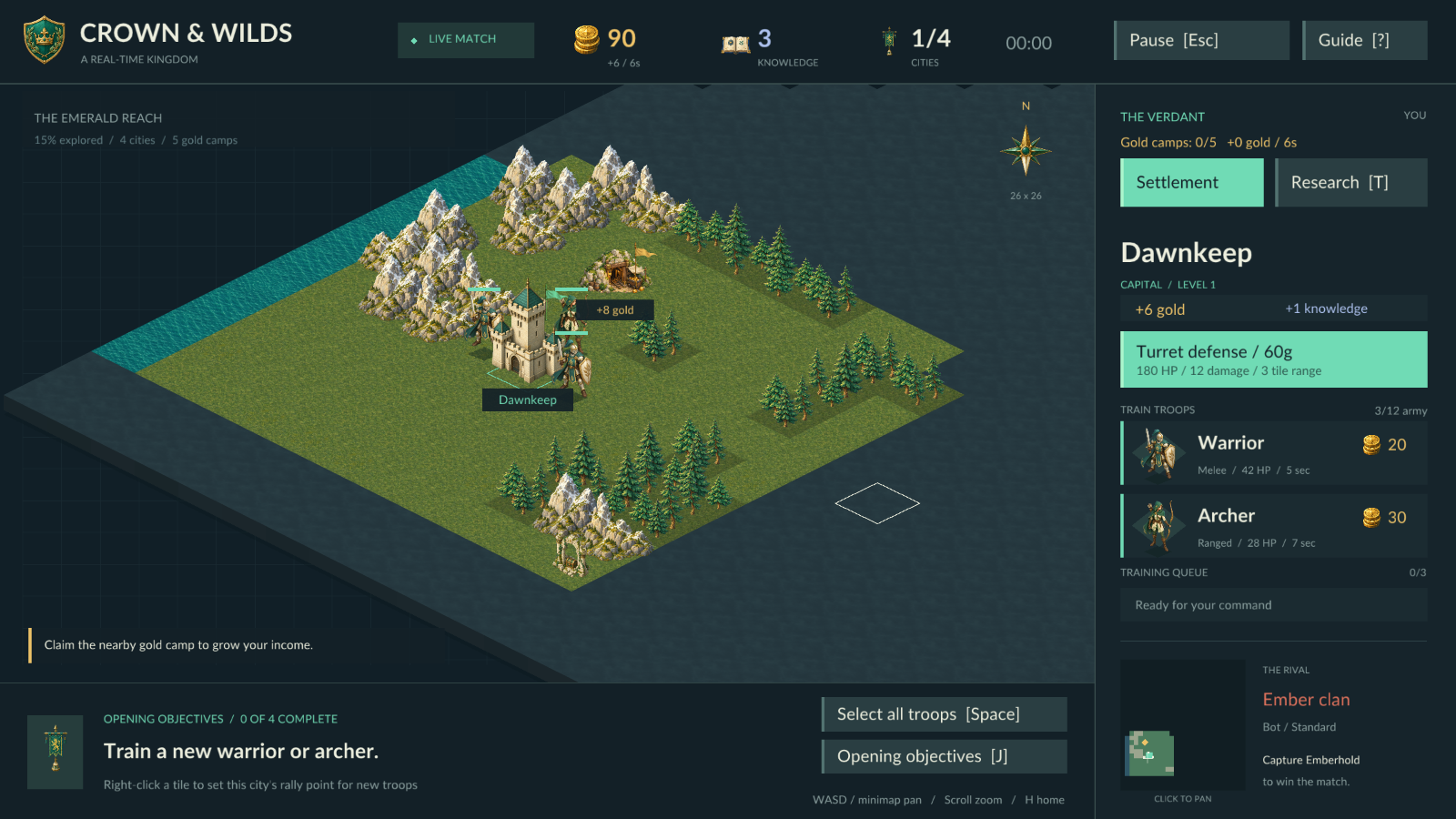
Warriors in front. Archers behind.
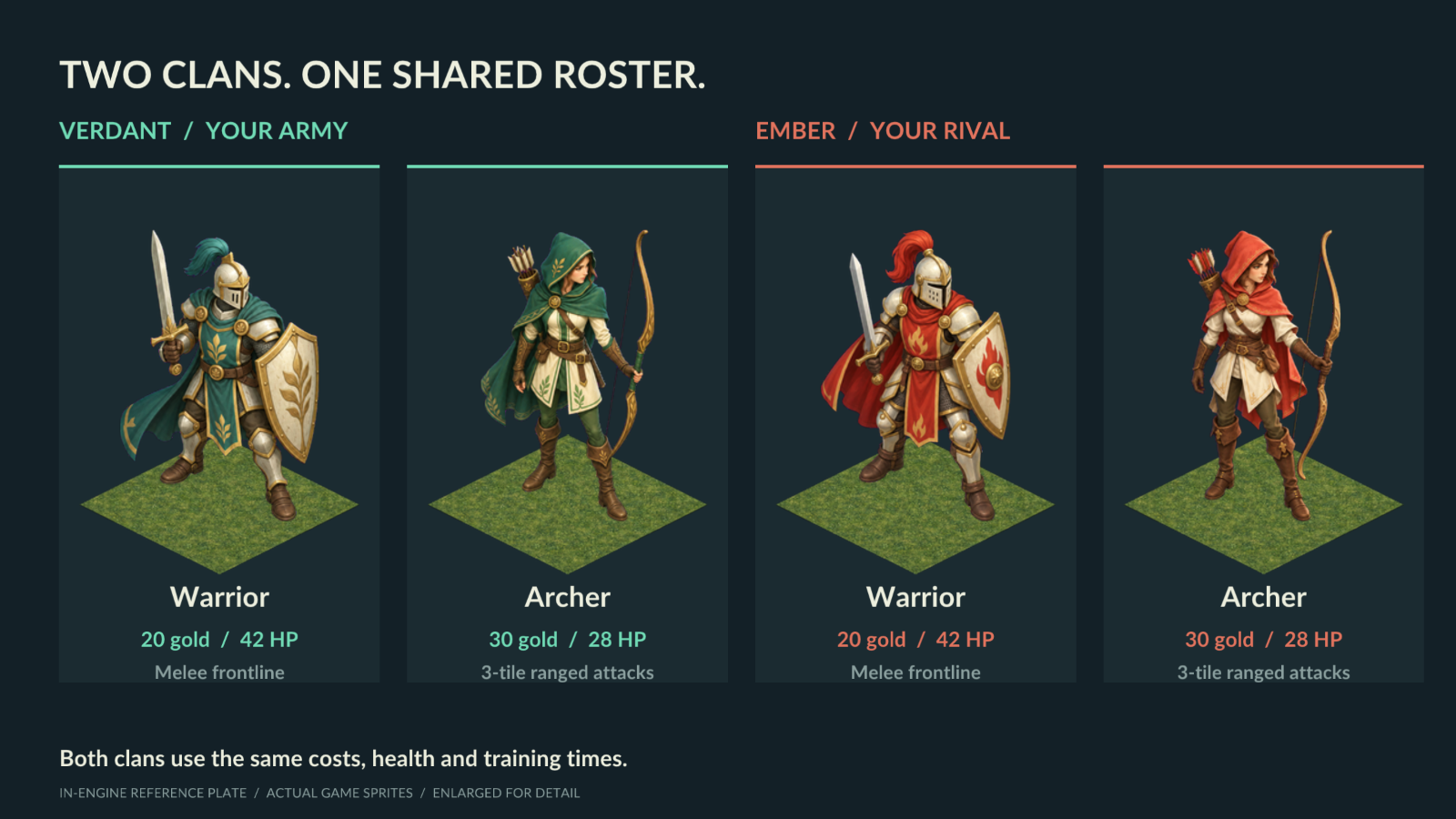
Your Verdant army wears green and gold; the rival Ember clan fights in red. Both clans use the same core roster. Warriors cost 20 gold, have 42 HP and train in 5 seconds. Archers cost 30 gold, have 28 HP and train in 7 seconds.
Keep warriors on the front line and support them with archers firing from three tiles away. Select squads, set rally points and use forests for protection—at the cost of slower movement.
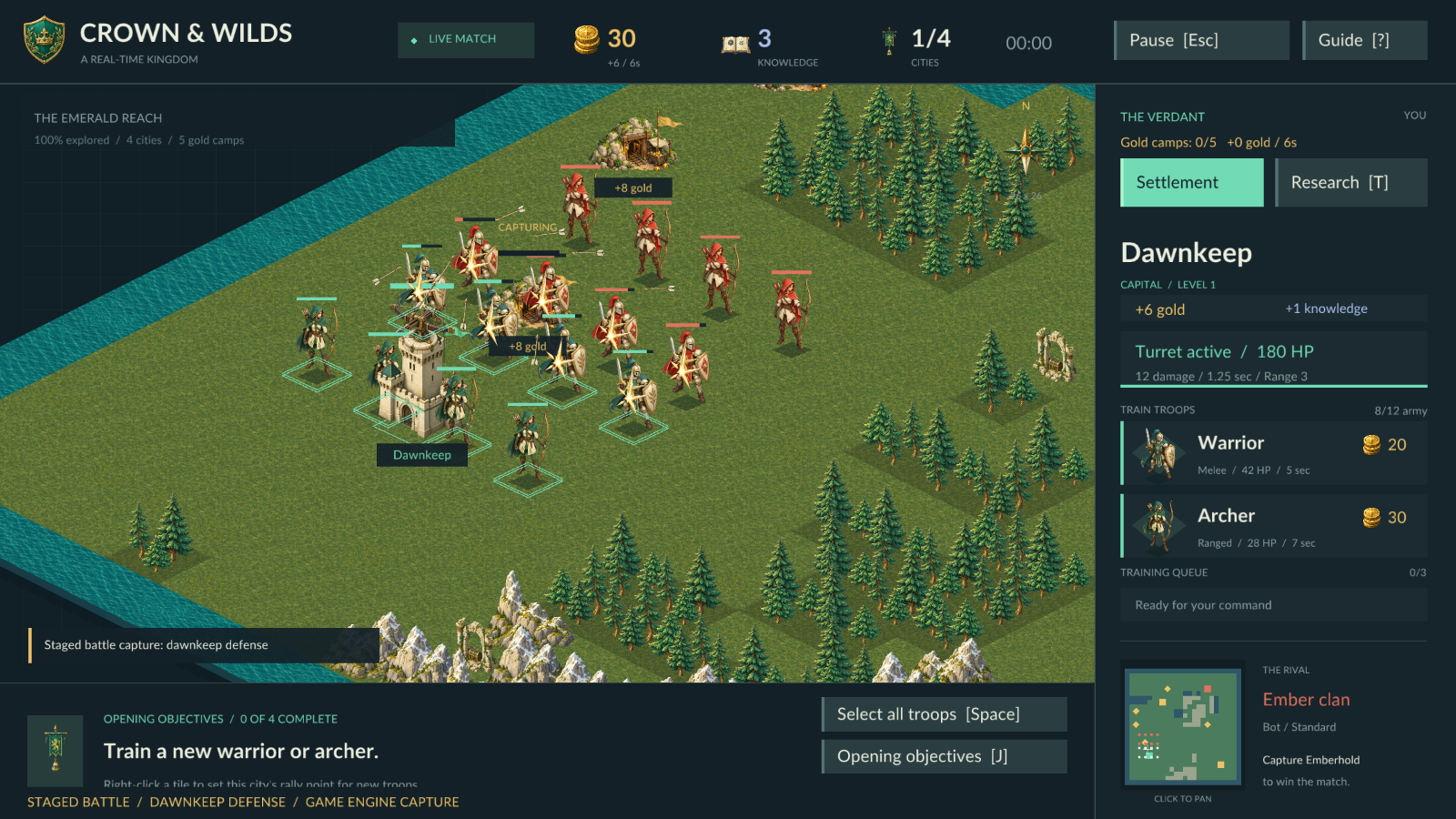
Dawnkeep under attack. Staged battle captured in the actual game engine.
Claim the keeps. Protect your crown.
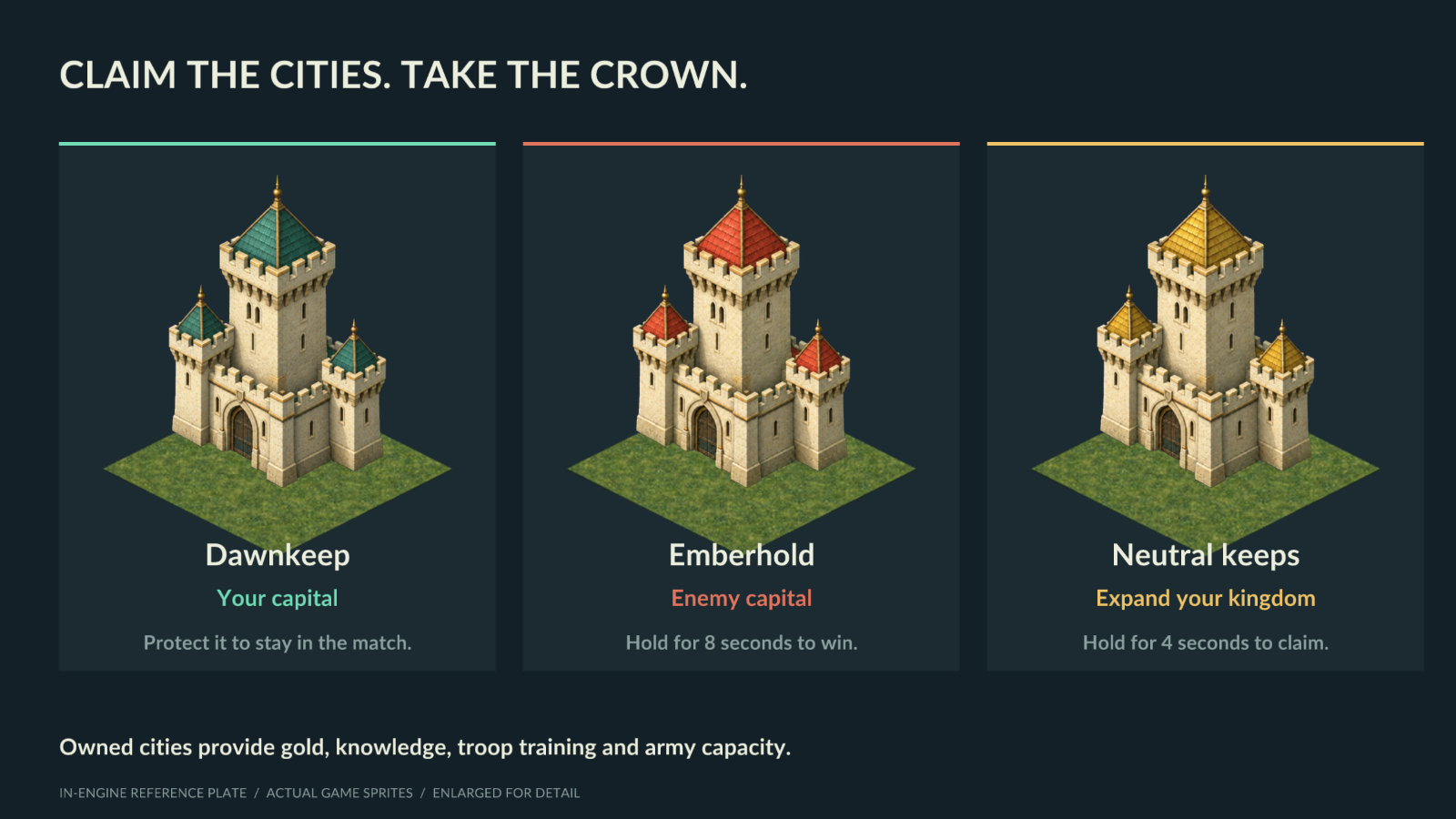
Dawnkeep is your capital. Lose it and the match ends. Capture neutral cities to earn gold and knowledge, open troop queues and increase army capacity. Hold a neutral city for 4 seconds to claim it; capture Emberhold for 8 seconds to win. Nearby defenders block capture, and city turrets must be destroyed first.
Gold, discoveries and city defenses
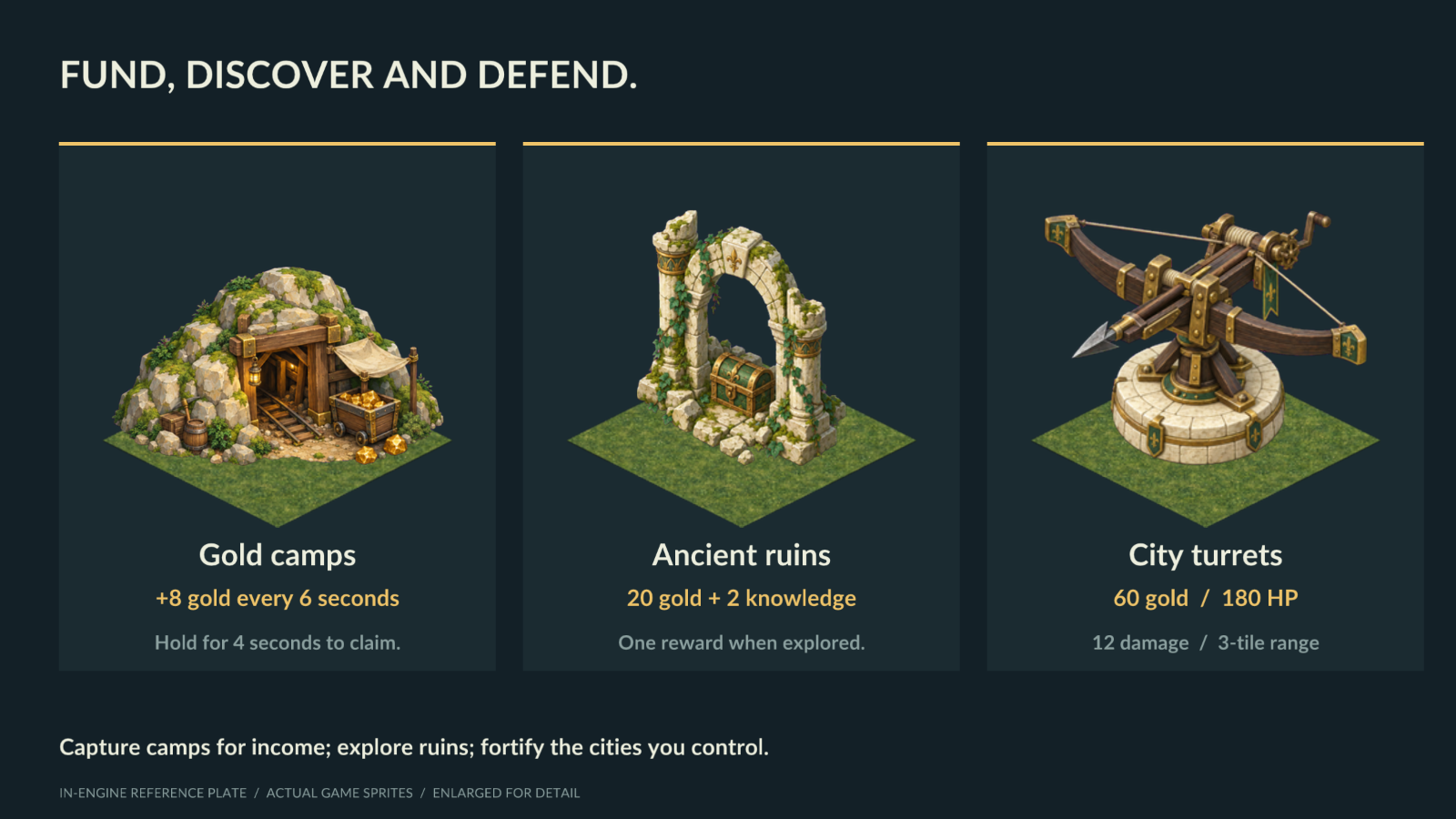
Gold camps are the mines that fund your next push: hold one for 4 seconds to claim it, then collect 8 gold every 6 seconds. Ancient ruins offer a one-time reward of 20 gold and 2 knowledge. Fortify a city with a 60-gold ballista turret, with 180 HP and a three-tile attack range.
Troop and building images above are in-engine reference plates, with actual game sprites enlarged for detail.
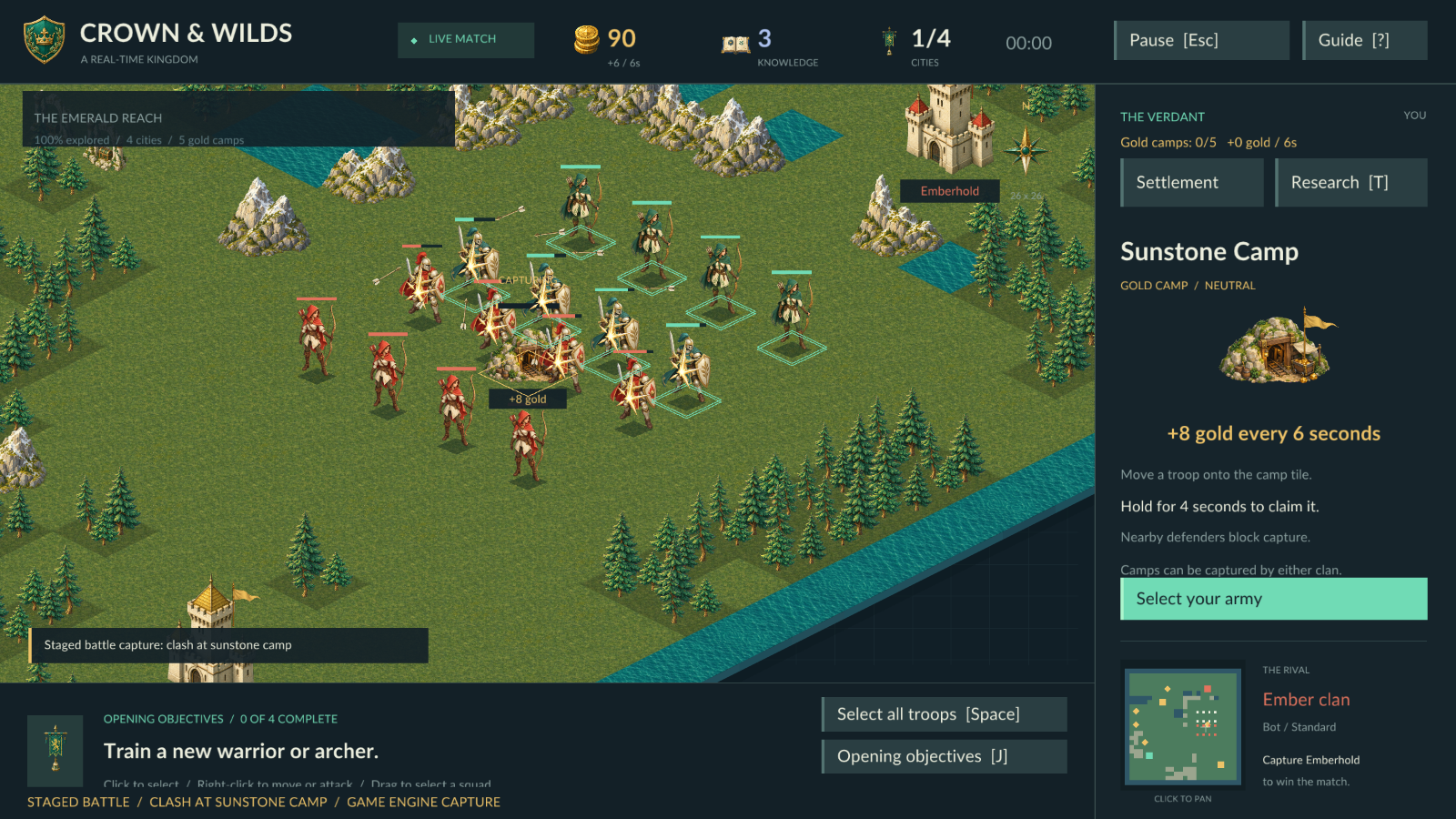
A clash for Sunstone Camp. Staged battle captured in the actual game engine.
Explore. Research. Advance.
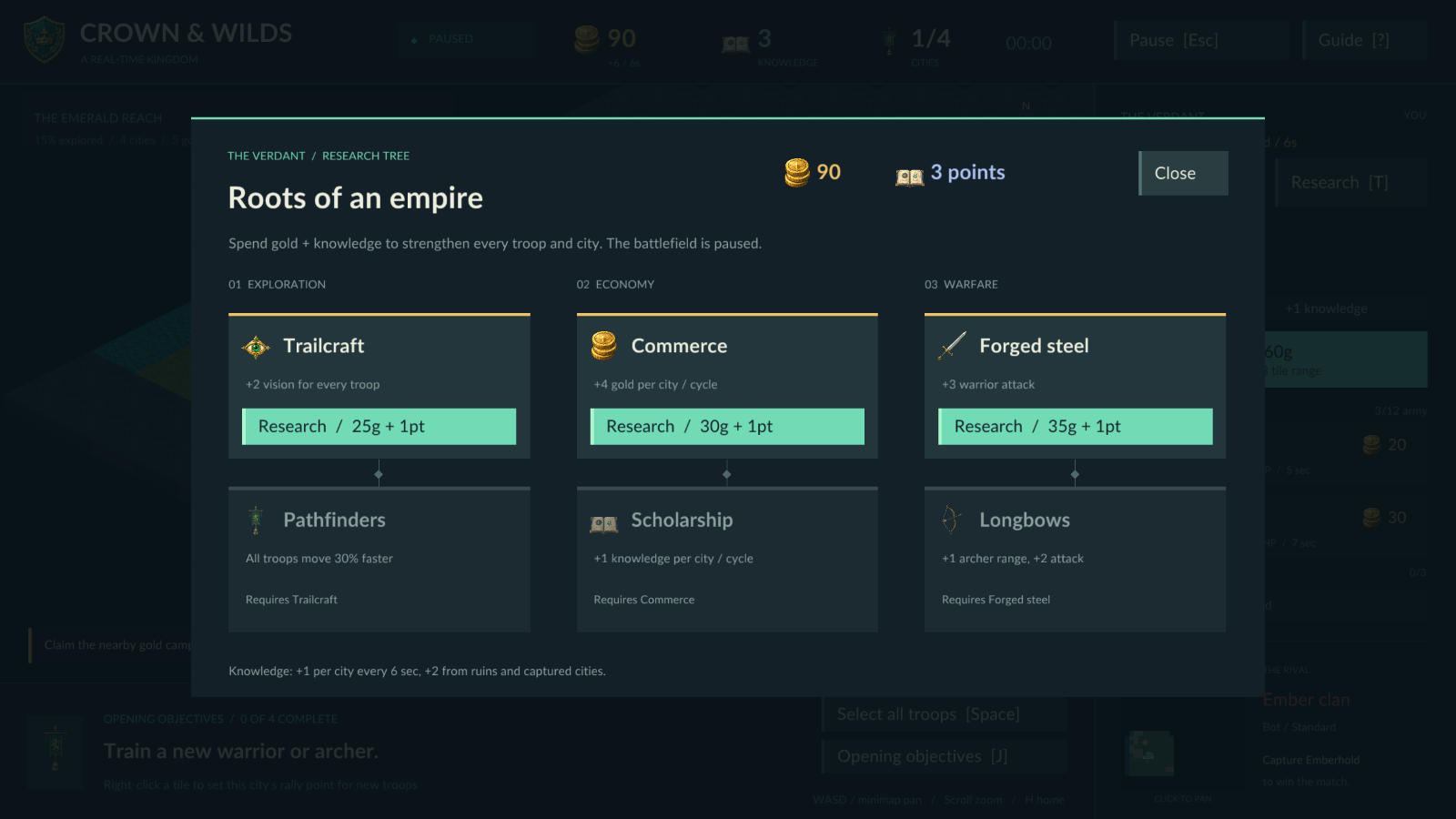
Procedural 26 × 26 islands connect four cities, five gold camps and scattered ruins beneath the fog. Enter a seed to revisit an island. Spend gold and knowledge on six discoveries across three research branches, improving exploration, economy and warfare.
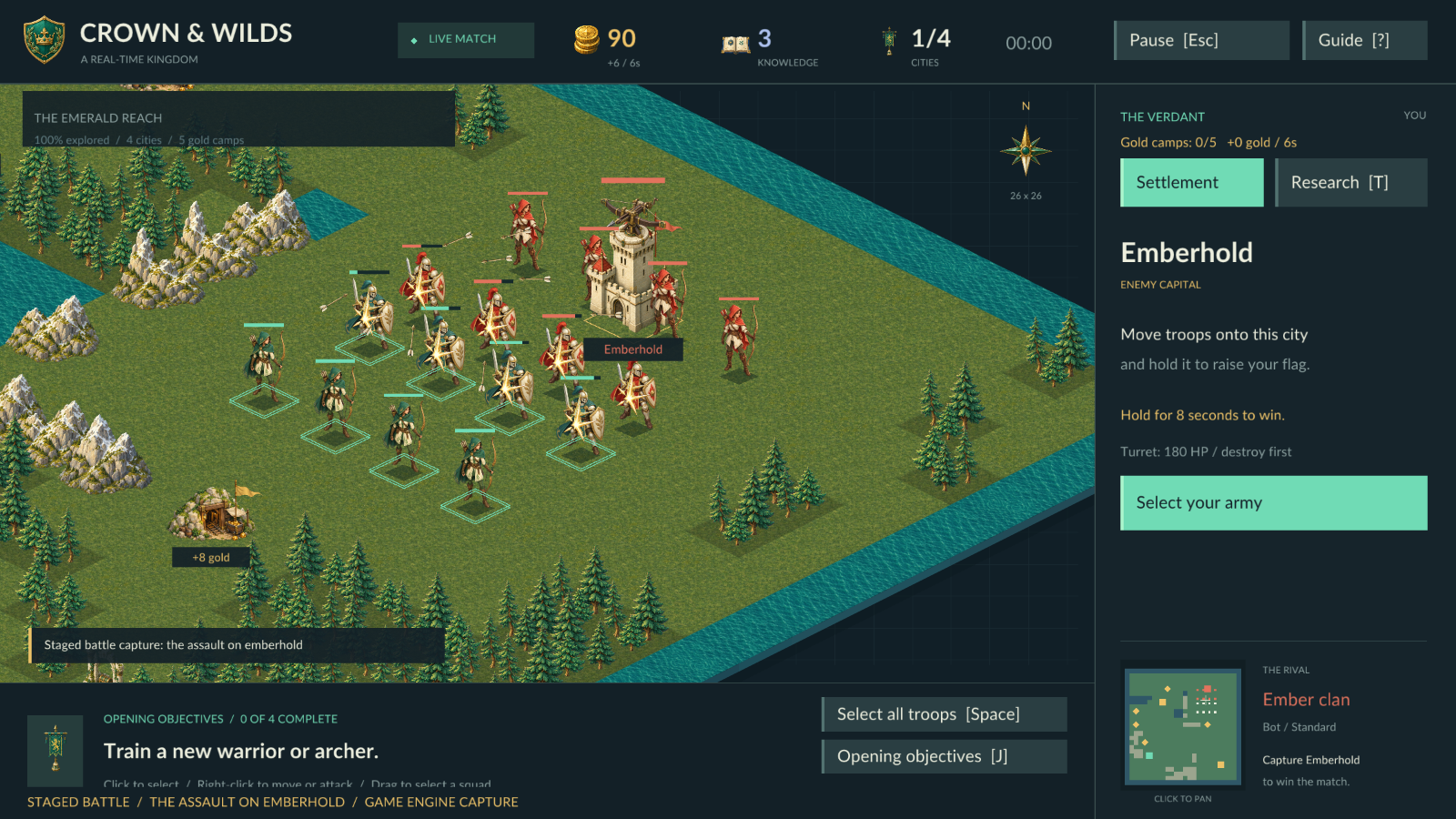
The final push on Emberhold. Staged battle captured in the actual game engine.
Your first campaign
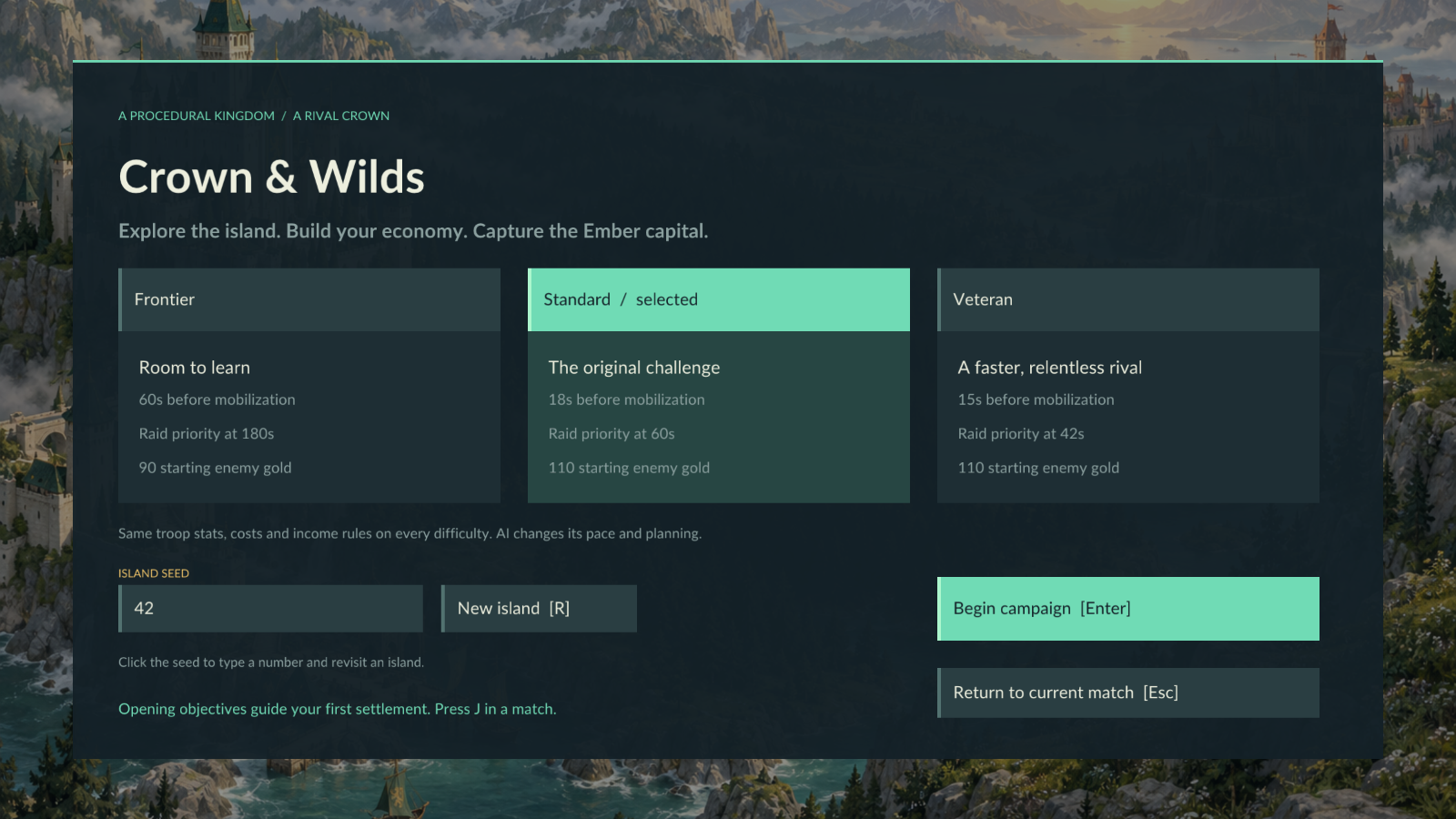
One standard RTS mode offers three AI difficulties: Frontier gives you time to learn; Standard and Veteran put increasing pressure on your planning. Choose a difficulty and island seed, then press Enter. Four opening objectives guide you through training, camp capture, research and expansion. Capture the rival capital, Emberhold, to win. Lose Dawnkeep and your campaign ends.
Controls
- Left click to select; right click to move, attack or capture.
- Drag a box to select a squad; Shift-click to add troops; Space to select your army.
- WASD / arrows to pan, mouse wheel to zoom, H to return to your capital.
- T opens research, J opens objectives, / opens the guide, and Esc pauses.
Download and play
For Windows 64-bit Intel/AMD and macOS Apple silicon / Intel. Keyboard and mouse required. Offline, single-player matches; campaigns are not saved between launches. This release has no music or sound effects.
Made with DragonRuby. The illustrated world uses AI-generated artwork from OpenAI Sunburst; production assets are included, and playing makes no AI service calls.
Download
Install instructions
Windows (64-bit Intel/AMD): Extract the ZIP, then launch crown-and-wilds-windows-amd64.exe.
macOS (Apple silicon or Intel): Extract the ZIP, move Crown & Wilds - Real-time Kingdoms.app to Applications, then open it. The app is ad-hoc signed and is not notarized. If macOS blocks the first launch, use System Settings → Privacy & Security → Open Anyway for this app.
Choose your difficulty and island seed, then press Enter. Keyboard and mouse required. Matches are held in memory and are not saved when you quit.
Leave a comment
Log in with itch.io to leave a comment.